FranklinWH vs Tesla Powerwall
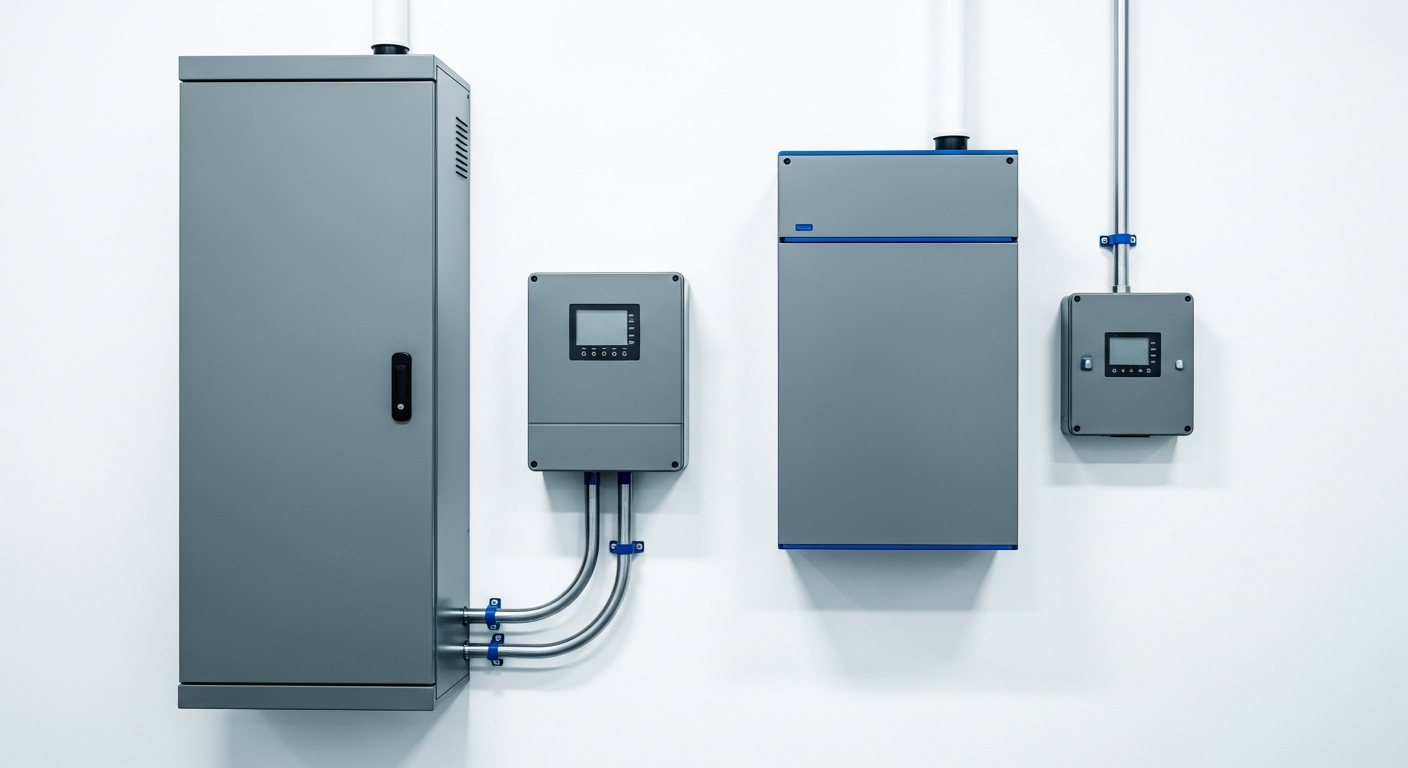
If you already have solar and want the battery that plays nicest with existing equipment, FranklinWH is usually the better buy. If you are starting fresh and want the fewest boxes on the wall with the most single-unit output, Tesla Powerwall 3 is the cleaner answer. That is the short version.
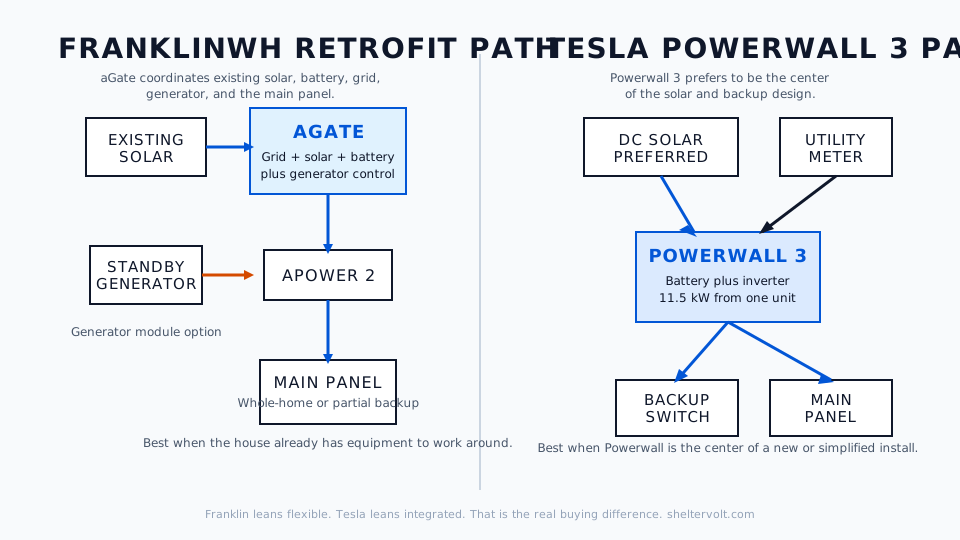
These systems overlap, but they are built around different assumptions. FranklinWH starts from “how do I control a messy real house with existing solar, a generator, and weird loads?” Tesla starts from “how do I give this house one integrated battery with strong output and a simple install path?” Same category. Different personality.
For the broader shortlist, start with our best whole house battery backup systems guide. This piece is the head-to-head if FranklinWH and Tesla are your final two.
Start with the system shape, not the logo
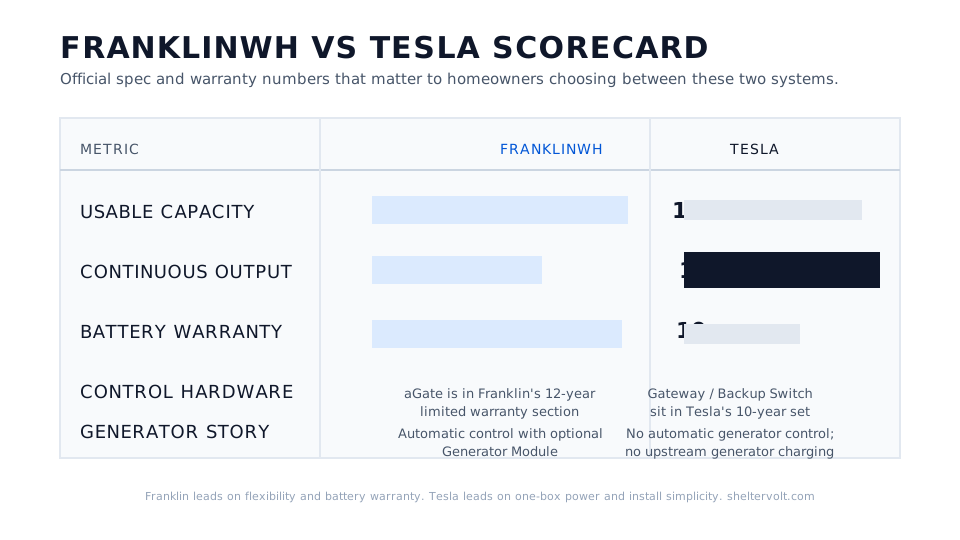
The FranklinWH aPower 2 datasheet lists 15 kWh usable capacity, 10 kW continuous output, 185A locked-rotor starting capability, and a 15-year or 60 MWh throughput warranty for the battery itself. The Tesla Powerwall 3 datasheet lists 13.5 kWh, 11.5 kW continuous output, and the same 185 LRA motor-start number, backed by a 10-year warranty. On paper, these two are a lot closer than the internet makes them sound.
The split happens in the control hardware around the battery. FranklinWH uses the aGate as the brains of the system. Tesla uses Gateway or Backup Switch hardware around Powerwall 3. That design choice changes retrofit fit, generator support, wall space, labor, and utility approval.
| Spec | FranklinWH aPower 2 + aGate | Tesla Powerwall 3 + Gateway / Backup Switch |
|---|---|---|
| Usable capacity | 15 kWh per battery | 13.5 kWh per unit |
| Continuous output | 10 kW | 11.5 kW |
| Motor start capability | 185A LRA | 185 LRA |
| Solar architecture | AC-coupled, built for existing inverters | Integrated hybrid inverter, DC-coupled solar strongly preferred |
| Generator integration | Yes, via optional Generator Module | Limited; no automatic generator control, no upstream generator charging |
| Battery warranty | 15 years / 60 MWh on aPower 2 | 10 years |
| Control hardware warranty | aGate covered by Franklin’s 12-year limited warranty | Gateway / Backup Switch covered in Tesla’s 10-year warranty set |
| Best fit | Existing solar, generator hybrid, retrofit-heavy homes | New installs, high-output single-box setups, clean utility-approved meter-collar path |
That table tells you the real story. Franklin gives you a slightly bigger battery and more system flexibility. Tesla gives you more output from one wall box and a neater new-install package.
And no, chemistry is not the deciding factor anymore. Franklin’s official materials call the aPower 2 an LFP battery, and EnergySage’s current Powerwall 3 review lists Tesla’s latest unit as LFP too. In 2026, the chemistry question is basically a draw. The architecture question is where the decision gets made.
FranklinWH wins the retrofit and generator argument
This is the part FranklinWH gets right.
Franklin says its battery is AC-coupled and compatible with major inverter ecosystems including Enphase, SolarEdge, and SMA. The aGate is built to sit in the middle of a real house and coordinate solar, grid, battery storage, and generator power. Franklin’s own support docs describe it as the intelligent energy management center, and that framing is accurate.
If you already have solar on the roof, Franklin is usually the easier battery to bolt onto what you own. That matters more than people think. A lot of buyers are not building a dream system from scratch. They are trying to improve a house that already has Enphase microinverters, a service panel that is fine, and maybe a standby generator they do not want to throw away.
Franklin also has the cleaner generator story. The Generator Module adds automatic generator support to the aGate, and Franklin says it works with two-wire or utility-sense standby generators. Tesla’s compatibility table is much tighter: no automatic generator control, and no charging Powerwall from an upstream generator. If your outage plan includes “battery for the first night, generator for the ugly second and third day,” Franklin has the better toolbox.
That is why I would lean Franklin for the homeowner with existing solar, frequent multi-day outages, or a generator they want to integrate into one system. If that sounds like your house, Franklin is solving a real problem Tesla mostly sidesteps.
Tesla wins on simplicity, single-box output, and clean installs
Powerwall 3’s core advantage is simple: one box does a lot.
You get 11.5 kW continuous output from a 13.5 kWh unit. That is enough to make one Powerwall 3 feel like a “real house battery” instead of a carefully rationed essentials battery. Franklin is not weak here, but Tesla still hits harder per unit.
Tesla also has a better answer when the install path is clean. The Backup Switch sits behind the meter, cuts installation time by more than six hours, and avoids a lot of panel rewiring on homes where the meter and main panel are combined. Tesla also publishes utility approval lists for Backup Switch territories. When your utility allows that hardware, Tesla can feel materially more straightforward than a Franklin install with separate aGate hardware on the wall.
Where Tesla gets less charming is retrofit nuance. Tesla’s own Powerwall 3 design guide says DC-coupled solar connected directly to Powerwall 3 is strongly preferred over AC-coupled solar. That is engineer-speak for “this product is happiest when it is the center of the system.” If you are retrofitting existing AC-coupled solar, it can still work, but the fit is less elegant than Franklin.
Tesla is also less forgiving if you are already inside an older Powerwall ecosystem. Tesla says Powerwall 3 is not compatible with Powerwall 2 or Powerwall+. Franklin’s system is not an open sandbox either, but Tesla’s hardware generations are more siloed than many buyers expect.
My blunt take: if this is a new battery install and your utility allows the Backup Switch path, Tesla usually feels cleaner. Fewer boxes. Fewer design arguments. Less chance the project turns into “battery plus side quest.”
Tesla usually wins the upfront price fight
Installed battery pricing is messy because labor, permitting, service upgrades, and utility requirements move the quote around fast. So I trust marketplace data more than brand marketing here.
SolarReviews currently pegs a typical one-battery FranklinWH system with one aPower and one aGate at about $18,000 installed. EnergySage’s current Powerwall 3 review puts Tesla at about $13,743 installed before incentives, or about $1,018 per kWh on its marketplace.
That matches the pattern I keep seeing in real quotes: Franklin usually costs more upfront because you are buying a separate control box and paying for a more flexible retrofit architecture. Tesla usually gives you the cheaper path to high single-unit output. Franklin can still be the better value if it saves you from tearing apart an existing solar-plus-generator setup. But if all you want is one battery and clean backup power, Tesla is usually easier on the wallet.
The app fight is Franklin for control, Tesla for ease
Tesla’s app is easier to live with. Franklin’s app gives you more knobs.
Tesla keeps the choices fairly tight: Self-Powered mode, Time-Based Control, Backup Reserve, and Storm Watch. It is hard to get lost. That matters if you are the kind of owner who wants the system to quietly work and never become a hobby.
Franklin goes further. The FranklinWH App manual supports Self-Consumption, Load Shifting, Emergency Backup, storm preparation, and more granular schedule logic. Franklin’s support docs also lean hard into the idea that you can customize how solar, grid, battery, and generator interact. That is not marketing fluff. It is a real advantage for rate arbitrage nerds and outage planners.
The downside is obvious. More flexibility means more chances to misconfigure the thing or spend your Saturday morning staring at schedules. If you want a calmer ownership experience, Tesla wins. If you want control because your utility tariffs are ugly or your outage plan is complicated, Franklin wins.
The warranty fine print matters more than the headline number
Franklin’s headline is stronger, but you need to read the whole stack.
The aPower 2 warranty is 15 years or 60 MWh of throughput with 70% retained capacity at the end. That is excellent. But the aGate sits in Franklin’s 12-year limited warranty section, and the aGate communications module has a shorter communications-specific warranty. So when somebody tells you “Franklin has a 15-year warranty,” the honest version is “the battery does.”
Tesla’s limited warranty is 10 years across the Powerwall 3 product set, including the related control hardware in that warranty family. That is simpler, even if the battery term is shorter.
There is another detail most sales pages glide past: both companies want the system online. Tesla says a long enough internet outage can reduce the warranty term to four years. Franklin’s current warranty says the same kind of thing if the system stays offline and disconnected long enough for remote updates to fail. So do not buy either system assuming you can leave it offline forever and still collect full warranty coverage.
What I would buy in each situation
If I already had third-party solar on the roof, wanted battery backup plus generator support, or knew my house would need retrofit flexibility, I would buy FranklinWH. That is the cleaner match for a real-world house with history.
If I were starting from scratch, wanted whole-home feel from one battery, and had a utility territory that supports Tesla Backup Switch, I would buy Powerwall 3. It is the simpler package, and simple is valuable.
If your decision still feels close, break the tie with installer quality and service coverage in your ZIP code. These are not toaster ovens. The better installer usually matters more than the prettier app.
Now do the part that actually saves money: list the loads you care about, then run them through the home generator sizing calculator. That is how you stop buying battery capacity you will never use.